How to Link Service and Location Pages for Stronger Local SEO

Your business has a page explaining what you do. You have another page for each city you serve. Maybe you even have pages for specific industries. But if those pages barely connect to one another, visitors may struggle to find the information they need, and search engines have fewer clues about how your website fits together.
The fix is not to scatter a dozen links into every paragraph. It is to build a clear path between your main services, the customers you serve, and the places where you work. Done carefully, internal linking makes the website easier to use and helps search engines discover and understand important pages. It does not guarantee higher rankings, but it gives your existing content a more coherent structure.
Here is how a small business can organize those links without turning every city page into a copy of the next one.
Start With Three Different Jobs for Three Types of Pages
Before adding links, decide what each page is supposed to accomplish. A page with a clear job is easier to write, easier to navigate, and less likely to compete with another page on your site.
Core service pages explain what you offer
A core service page should answer the questions a potential customer asks before hiring you. What is included? Who is the service for? How does the process work? What should someone do next?
For OHS Publishing, the SEO services page is an example of a core destination. It should remain the main resource for someone evaluating SEO support, even when a blog article introduces one specific tactic.
For a residential contractor, the equivalent might be an air-conditioning repair page, a roof replacement page, or a bathroom remodeling page. Those pages should focus on the work itself rather than attempting to rank for every city in one long paragraph.
Industry pages explain who the service is for
An industry page answers a different question: Does this company understand businesses like mine? A dentist, an HVAC contractor, and a restaurant may all need websites, but their customers take different actions and expect different information.
For example, OHS has a dedicated page for HVAC contractor website design. That page can discuss seasonal demand, emergency calls, mobile usability, and service-area clarity in ways a general web design page cannot cover in depth.
Industry pages work best when they offer genuinely specific guidance. Simply replacing the word “plumber” with “roofer” throughout the same template does not create much value.
Location pages explain where you work
A location page should help someone in a particular community determine whether you serve them and what working with you looks like. It can include service availability, relevant local considerations, travel or scheduling details, and examples that are accurate for that area.
For instance, OHS maintains separate pages for web design and SEO in Liberty and web design and SEO in Overland Park. They represent distinct geographic audiences, not separate copies of the same city name pasted into identical text.
Think of service pages as the what, industry pages as the who, and location pages as the where. Internal links connect those answers when a visitor reasonably needs the next one.
Build a Simple Hub-and-Spoke Structure
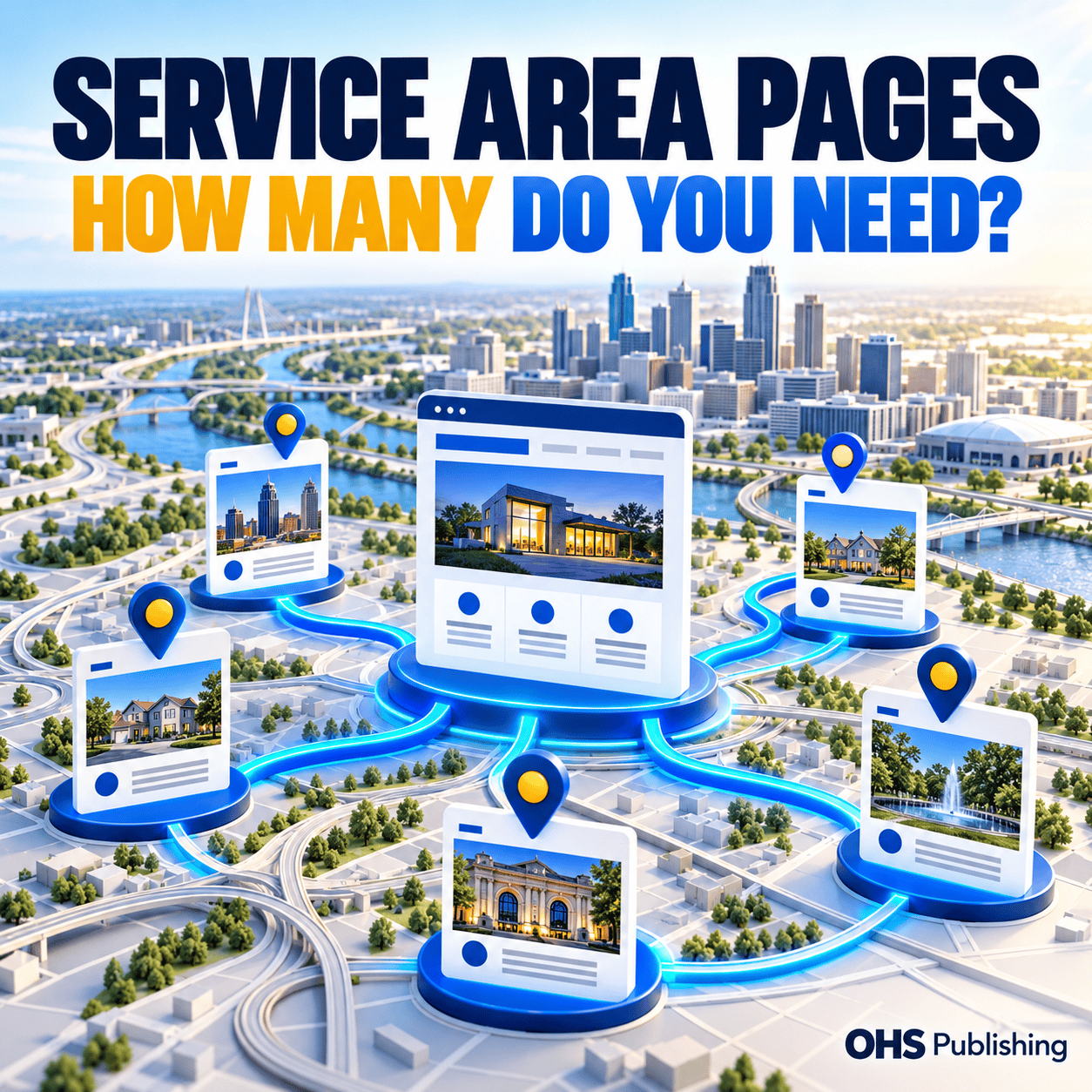
A useful website does not need a complicated diagram to have a sensible structure. Start with a central service page. Connect it to the most relevant industry or specialty pages. Then connect to location pages where the service is actually available and where the location page provides meaningful information.
Imagine a heating and cooling company serving several communities. Its main HVAC services page explains repairs, installations, and maintenance. A furnace repair page goes deeper into that service. A Liberty location page explains availability and practical details for Liberty homeowners. Someone reading about furnace repair can follow a natural link to the service-area information if location matters to their decision.
The path should also work in reverse. A person landing on the Liberty page should be able to find the specific furnace repair or air-conditioning service they need without returning to the homepage and starting over.
For OHS, a similar structure connects the home services and contractors marketing page to relevant specialties and, when useful, to local service pages. The point is to guide a visitor from a broad need to a more specific answer.
What a practical linking path looks like
- Service to specialty: A web design page links to a contractor-specific design page when explaining industry needs.
- Specialty to location: A contractor page links to a relevant service-area page when discussing availability in that market.
- Location to service: A city page links back to the primary service page when the reader needs more detail about the work.
- Helpful article to service: A blog post links to the service page that can help a reader act on the advice.
Not every page needs every link. A thoughtful set of connections is better than a sitewide list that appears everywhere regardless of relevance.
Choose Links Based on the Reader's Next Question
One of the easiest ways to improve internal linking is to stop thinking about links as SEO decorations. Instead, ask: What would a visitor want to know after reading this paragraph?
Someone reading a service description may wonder whether you serve their neighborhood. That is a good reason to link to the right location page. Someone reading a city page may want to compare available services. That is a good reason to link to the service page.
On the other hand, a paragraph about appointment scheduling does not need a link to an unrelated county page just because the county is on your keyword list.
Use descriptive, natural anchor text
The clickable words should describe the destination. “Learn about website design for HVAC companies” gives the reader more information than “click here.” It is also easier to understand than a long string of repeated city-and-service keywords.
Google's official link best practices recommend crawlable links and concise, relevant anchor text. They also make clear that there is no magic number of links a page must contain.
Vary wording because the sentence calls for it, not because you are trying to create an artificial keyword pattern. An anchor such as “our Northland service area” may fit one paragraph, while “website support for Northland businesses” may fit another.
Keep important links in actual page content
A footer with every city in the region is not a substitute for a useful contextual link. Navigation and footer links can help people browse, but links within relevant explanations show why two pages belong together.
Use standard HTML links that work without requiring a visitor to trigger a complicated interaction. Test the mobile layout too. A link hidden in an awkward accordion or an overcrowded menu may technically exist while remaining difficult for customers to find.
Give City and County Pages Distinct Reasons to Exist
Businesses sometimes create location pages for every nearby city, then wonder why some pages never gain traction. The problem may be that the pages answer exactly the same question with almost exactly the same content.
A useful location page does more than mention a place name. It explains the service in that area in a way that is accurate, relevant, and helpful. That might include neighborhoods served, service scheduling, local examples you can substantiate, or considerations specific to the community.
For a business covering the Kansas City metro, a page for the Kansas City Northland may speak to a different service-area context than a page for Johnson County businesses. The pages should still connect to the same core services when those services are available in both places.
Do not claim you have an office in every community. If you travel to customers or work remotely, explain that clearly. A service-area business can write useful location content without inventing local addresses, teams, or completed projects.
Avoid making every city page a miniature homepage
If each location page tries to explain every service, every industry, and every benefit in equal detail, visitors can lose the thread. Keep the location-specific information prominent, summarize the main services, and link to dedicated pages for deeper explanations.
That structure gives a person arriving from a local search a direct answer while letting your service pages do the heavier educational work.
OHS has also published a separate guide on how many service-area pages a local business needs. That article covers the decision to create location pages; this one focuses on connecting the pages once they exist.
Connect Industry Pages Without Creating Keyword Confusion
An industry page and a location page can both mention the same service. That is normal. Trouble starts when they all target the same primary search with similar titles, headings, and copy.
Consider a web design company serving HVAC contractors in Liberty. The general web design page should explain web design services. The HVAC page should explain what an HVAC company needs from its website. The Liberty page should explain local service coverage. None needs to pretend it is the only page that matters.
Where an industry and a location intersect, a contextual link can be useful. But do not automatically build a separate “HVAC website design in Liberty” page for every city unless there is enough unique, helpful content and genuine demand to justify it.
Assign a primary purpose to each URL
Write a short one-line purpose statement for each important page. If two pages have almost identical statements, inspect them before adding more content. You may need to sharpen their focus, combine overlapping information, or adjust internal links to make the intended destination clearer.
Look at the page title, H1, introduction, and calls to action together. Internal links cannot solve a situation where several pages are fundamentally trying to do the same job.
When two pages overlap, do not delete one automatically. Check whether either page attracts useful traffic, has external links, or serves a distinct audience. Any consolidation should include a deliberate redirect and an updated linking plan.
Use Blog Articles to Support Your Most Important Pages
A blog can be valuable to local SEO without becoming a collection of thin city-name articles. The best supporting posts answer specific questions and then point readers toward a relevant service, industry, or location page.
For example, an article about improving emergency service calls can naturally support a contractor marketing page. A guide to choosing a website maintenance plan can support a maintenance service page. A post explaining local service-area coverage can support the location hub.
That is why the link should appear where it helps the reader, not in a forced paragraph at the end that lists ten cities. If the article is about how internal links work, a small number of real OHS examples is more helpful than a giant directory of locations.
Blog links should also be reviewed as the site grows. A newly created service page may deserve a link from an older article that already receives relevant visitors. Sometimes improving an existing post is more useful than publishing another one on a nearly identical subject.
Link in both directions when it makes sense
A blog article can send interested readers to a service page. A service page can also link to an educational article when it answers a common pre-sale question. That two-way relationship helps people move between learning and making a decision.
Do not add a reciprocal link merely for symmetry. A page about website security does not need to link back to every post that mentions WordPress. Include the link when it contributes to the reader's understanding.
Audit the Links You Already Have Before Adding More
If location or industry rankings are slipping, internal links are worth reviewing, but they are only one part of the investigation. Search demand, competitors, content quality, indexing, site changes, and technical issues can all affect performance.
Start with a short list of your most important service and location URLs. Open each page as a visitor and trace the paths to related information. Then review Google Search Console for changes in impressions, clicks, queries, and indexed URLs.
Use the following checks to prioritize the work:
- Find isolated pages. Identify important pages that receive no useful links from related content.
- Check the destination. Make sure links do not lead through unnecessary redirects or end on missing pages.
- Review anchor wording. Replace vague or awkward text with concise descriptions where it improves navigation.
- Check mobile navigation. Make sure visitors can reach services and locations without hunting through menus.
- Look for overlapping intent. Compare titles and content when several pages appear to compete for the same searches.
- Keep a change log. Record what you adjusted so you can evaluate results later.
Do not change every link at once. Start with one cluster, such as your primary service and three important location pages. Make the improvements, check that they render correctly, and then move to the next cluster.
Measure Progress Without Expecting an Overnight Ranking Jump
Better linking gives search engines clearer paths through your website, but it is not a switch that instantly restores lost positions. You need to look at whether the changes help visitors and whether search visibility moves in the right direction over time.
For each priority page, record its main search queries, impressions, clicks, and the actions visitors take after arriving. A location page that attracts more relevant searches but sends visitors to an unrelated service may still need work.
Check whether visitors move from a location page to the appropriate service, whether calls and forms work on mobile, and whether the content answers their questions before they contact you. A page can rank for a phrase yet still do a poor job converting that visit into a useful inquiry.
Separate link improvements from broader SEO work
Suppose an Overland Park page loses impressions while the corresponding core service page stays steady. That pattern is worth investigating, but it does not prove a linking problem. Check whether the affected page is indexed, whether its content still matches the searches it targets, and whether competing pages have changed.
If several city pages decline at once, inspect sitewide changes, templates, navigation, redirects, and search demand before rewriting them individually. A shared technical issue can affect many pages. A careful diagnosis saves you from replacing useful content that was not causing the problem.
Record a baseline before making changes and compare similar date ranges afterward. Rankings move for reasons outside your control, so look for consistent trends rather than treating a single daily position as a verdict.
A Small-Business Linking Plan You Can Use This Week
You do not need to reorganize your entire website to start. Pick one service that matters to your business and one area where you want to improve visibility. Then follow a manageable sequence.
Day one: map the pages
Write down the main service page, the relevant specialty or industry page, and the location pages that genuinely serve that audience. Add each page's purpose beside its URL. If you cannot explain the difference between two pages, mark them for a closer review.
Day two: inspect the paths
Open the pages on your phone. Ask whether a new visitor can find service details, confirm availability, and contact you. Note any important page that is hard to reach or linked only from a footer.
Day three: add a few meaningful links
Add links in sentences where they answer a real next question. For example, a city page can direct readers to the full service description, while a specialty page can direct them to a relevant service-area explanation. Avoid dropping the same city list into every page.
Day four: test and document
Check each link, review the layout on desktop and mobile, and make sure the destination delivers what the anchor promises. Note the changes and their dates. Do not forget forms and phone buttons: the route to contacting your business matters as much as the route between pages.
Day five: choose the next cluster
Once the first group works well, identify the next service and location combination. Prioritize pages tied to real business demand rather than creating dozens of new pages merely to cover a larger map.
If your website already has many location pages, a short audit of the existing structure may be more productive than another month of publishing new city articles.
Make Your Pages Work Together, Not Compete
Good local SEO architecture is straightforward: give each page a clear purpose, connect related information when the reader needs it, and avoid copying the same message across every city and industry page. The result is a website that is easier to navigate and easier to maintain.
OHS Publishing helps small businesses review their website structure, identify gaps, and improve the relationship between service pages, industry pages, and local landing pages. If your rankings have shifted or your website has grown into a maze of disconnected content, we can help you decide what to fix first.