New Business Website Launch Checklist: What to Review Before You Go Live
Launching a new business website can feel like a finish line. The pages are built, the logo is in place, and the contact form appears to work. It is tempting to publish immediately and move on to everything else the business needs.
But a website can look finished while still missing the details that help customers understand the business, trust it, find it in search, and take the next step. A vague homepage, incomplete service information, an untested mobile form, or a domain email problem can weaken the launch before the site has a fair chance to work.
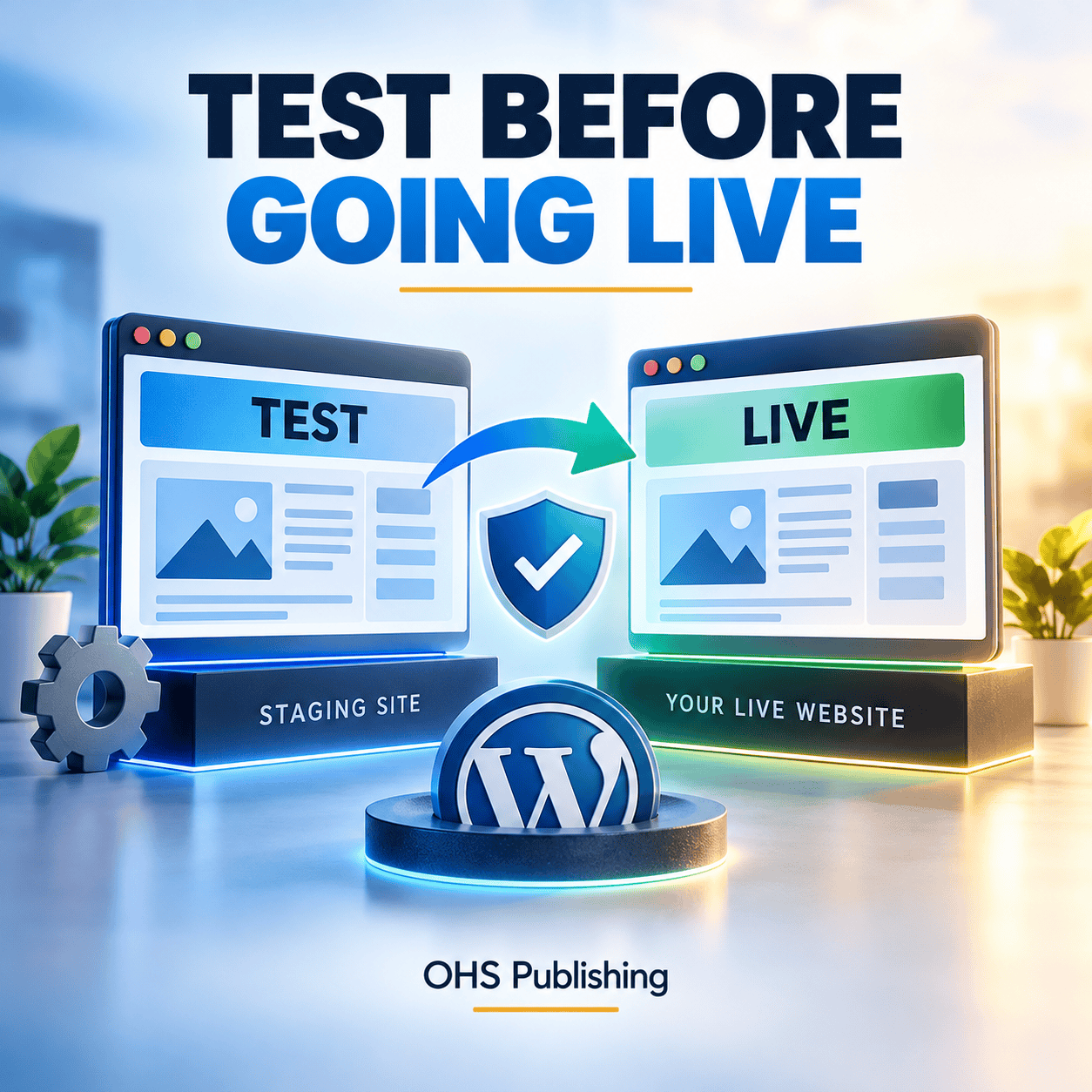
Before launch, a WordPress staging checklist can help confirm mobile layouts, forms, and integrations work as intended.
This checklist is for business owners preparing to launch a first website or replace a temporary starter site. It focuses on the decisions that matter most before launch, without treating a new website as though it needs every possible feature on day one.
Start With the Job the Website Needs to Do
Before reviewing colors, animations, or small wording changes, define the website's primary job. Most new-business websites need to do four things well: explain the offer, establish credibility, help the right people find relevant information, and make contact easy.
The desired action should also be specific. A residential contractor may want visitors to request an estimate. A consultant may want qualified prospects to schedule a conversation. A restaurant may need people to view the menu, find the location, or place an order. An online retailer needs shoppers to find products and complete checkout.
When that goal is clear, launch decisions become easier. The homepage can lead toward the correct action. Navigation can prioritize the pages customers need. Forms can collect useful information without becoming a barrier. The website becomes a working part of the business instead of a digital brochure with no clear purpose.
Before the build begins, our DIY website or professional web design comparison can help you decide who should handle planning, setup, testing, and maintenance.
1. Make the Homepage Clear Before Making It Clever
A first-time visitor should not have to interpret a slogan to understand the business. The opening section should quickly answer three questions:
- What does the business provide?
- Who is it for or where is it available?
- What should an interested visitor do next?
“Built around your future” could apply to a financial planner, home builder, staffing firm, or software company. A clearer headline would name the actual service and the customer it helps. Supporting copy can then explain the difference, process, or benefit in plain language.
The primary call to action should match the buying process. “Request an estimate,” “Schedule a consultation,” “View available services,” and “Shop the collection” each set a different expectation. Use the one that makes sense for the business rather than defaulting to “Learn more” everywhere.
2. Give Important Services Their Own Useful Pages
A short services list on the homepage may be enough to introduce the offer, but it rarely answers the questions of a visitor comparing options. If a service is important to revenue, it usually deserves a dedicated page.
A useful service page should explain what the service includes, who it is for, the problem it addresses, how the process works, and what the next step looks like. It should also address common concerns that could prevent someone from contacting the business.
Separate pages create clearer destinations for search, advertising, referrals, email, and social posts. Someone looking for commercial cleaning should not have to sort through a general page that mixes office cleaning, carpet care, construction cleanup, and residential work into a few sentences.
Page count should follow the actual business, not an arbitrary package. A focused company with one main offer may launch with a small site. A company with several distinct services, audiences, or locations may need more structure. The OHS guide to what affects small-business website cost explains why page count, content, and functionality change the scope of a project.
3. Add the Trust Information Customers Look For
New businesses may not have years of reviews, case studies, or project galleries. That does not mean the website has to feel anonymous. It means the trust section should use the proof the business can honestly provide.
Depending on the company, that may include the owner's relevant experience, a clear service process, professional memberships, licenses that apply to the work, real photos, supplier relationships, product details, service guarantees that the company actually offers, or a straightforward explanation of what happens after an inquiry.
An About page should do more than tell a generic origin story. It should help a potential customer understand who is behind the business, why the company exists, what experience informs the work, and what kind of service to expect.
Do not fill an empty testimonial section with placeholder praise or present stock photos as completed work. A smaller amount of real information is more credible than polished proof that cannot be verified.
4. Make Every Contact Path Easy to Use
Contact details should be consistent across the website. Check the business name, phone number, email address, street address or service area, and operating hours everywhere they appear. Pay special attention to the header, footer, contact page, schema added by a plugin, and any reusable page sections.
Keep forms focused
A form should collect enough information for a useful response without feeling like an application. Name, preferred contact method, basic project or service need, and a message field may be enough for an initial inquiry. Add fields only when they help route or qualify the request.
Test every form using an address outside the business domain. Confirm that the visitor sees a clear success message, the notification reaches the right inbox, replies go to the person who submitted the form, and spam protection does not create unnecessary friction.
Check phone and email links
On a phone, tapping the phone number should begin a call and tapping the email address should open a correctly addressed message. If the site offers text messaging, scheduling, payment, ordering, or directions, test those actions on an actual mobile device rather than assuming the button works.
5. Review the Site on Mobile as a Customer Would
A responsive layout can technically fit a small screen and still be frustrating to use. Review the site from the top of the homepage through the final contact step on more than one screen size.
Look for navigation that is easy to open, text that does not require zooming, buttons that are comfortable to tap, images that do not crop important details, and forms that do not fight the on-screen keyboard. Check whether sticky bars or popups cover the content or compete with each other.
Also test the site on a normal cellular connection. Large images, autoplay video, multiple font files, and unnecessary scripts can make a polished design feel slow. The goal is not a perfect laboratory score. The goal is a fast, stable experience for a real customer trying to get something done.
6. Confirm the Domain, Email, Security, and Ownership Details
The business owner should know who controls the domain name, hosting account, website administrator account, analytics property, and other essential services. Keep access details in a secure password manager and avoid building the entire setup around one employee's personal email address.
Before launch, verify that:
- The preferred domain loads securely with HTTPS.
- Alternate versions of the domain redirect to one preferred address.
- The SSL certificate is active and the browser shows no mixed-content warning.
- Business email can send and receive reliably.
- Administrative accounts use strong, unique passwords and appropriate access levels.
- A current backup exists and there is a practical way to restore it.
These are not glamorous launch tasks, but they prevent avoidable ownership and recovery problems later. If WordPress is the chosen platform, OHS provides WordPress web design built for ongoing management and growth, not just the launch-day appearance.
7. Put a Basic Search Foundation in Place
A new website does not need an aggressive SEO campaign before it can launch, but it should give search engines a clear, crawlable structure.
Each important page should have one clear topic, a descriptive page title, a useful main heading, readable copy, and links to related pages. Image alternative text should describe meaningful images for visitors who cannot see them. Decorative images do not need keyword-heavy descriptions.
Confirm that the public site is not accidentally set to discourage indexing. Review the XML sitemap, canonical addresses, redirects from any replaced pages, and the site's robots settings. Connect analytics and Google Search Console to the correct business-controlled accounts, then verify that the preferred domain is being measured.
For a local company, the website should state where the business operates in a natural, useful way. Do not create a list of city names with no supporting information. Connect service areas to real pages, customer needs, and the way the business actually works. OHS's Kansas City web design service shows how page structure, service clarity, local relevance, and contact paths can work together.
8. Check Accuracy, Accessibility, and Required Business Information
Read every page as if you know nothing about the business. Look for old phone numbers, inconsistent service names, unfinished sections, broken image captions, sample text, incorrect hours, and links that point to staging pages.
Make headings descriptive and logically ordered. Use meaningful link text instead of repeating “click here.” Confirm that text has enough contrast, essential information is not communicated by color alone, images have appropriate alternative text, and forms have understandable labels and error messages.
Include the policies and notices that apply to the business, website features, location, and data practices. An informational service site, an online store, a healthcare practice, and a membership platform do not have identical requirements. When legal or regulatory obligations are unclear, get advice appropriate to the business rather than copying another site's policy.
9. Test the Complete Customer Journey
Testing individual pages is not enough. Start from the places a customer may arrive and follow the path all the way through.
For example, imagine a homeowner searches for one specific service, lands on that service page, checks whether the company serves the neighborhood, reads about the process, and requests an estimate. Every step should feel connected. The page should not force that visitor back to the homepage to understand the company or find a contact option.
Run similar tests for a referral who searches the business name, a mobile visitor who wants to call immediately, and a cautious buyer who wants to compare experience and process before making contact.
During these tests, check navigation, internal links, calls to action, forms, email notifications, thank-you messages, scheduling tools, payment steps, and any downloadable files. If the site replaces an older website, test the most important old addresses to confirm they redirect to relevant new pages instead of failing.
10. Decide Who Will Maintain the Website After Launch
Launch is the beginning of the website's working life. Software changes, business information changes, forms need testing, and content becomes outdated. Assign responsibility before the site goes live.
The maintenance plan should cover software updates, backups, security monitoring, uptime, form checks, and a process for making routine content changes. It should also identify who receives alerts and who can respond if the site stops working.
For WordPress sites, review OHS's website maintenance and support options. The important point is not simply to buy a plan. It is to make sure somebody is accountable for keeping the website current, protected, and useful.
What a New Website Does Not Need on Day One
A practical launch has a clear foundation, not every feature the business might use someday. Delaying the website for months while building a large resource library, complicated automation, or dozens of speculative pages can be just as unhelpful as launching too early.
Most new businesses can add depth after launch. That may include articles, case studies, location pages, expanded service pages, online scheduling, customer portals, email automation, or e-commerce features. Build now for known customer needs, then use actual questions and business priorities to guide the next phase.
The same applies to visual polish. Small spacing adjustments matter, but they should not receive more attention than an unclear offer or a broken inquiry path. Fix the issues that affect understanding, trust, discoverability, and action first.
A Practical Final Review Before Publishing
Schedule a focused launch review rather than relying on casual checks during the build. Use a fresh browser session, a phone, and at least one person who was not closely involved in creating the site.
- Clarity: Can someone explain what the business does after viewing the homepage?
- Content: Are the important services, audiences, and locations represented accurately?
- Trust: Does the site show honest reasons to feel confident contacting the business?
- Action: Can visitors call, email, schedule, buy, or inquire without confusion?
- Technical setup: Do HTTPS, redirects, forms, email, backups, analytics, and search settings work?
- Mobile use: Can a customer complete the main task comfortably on a phone?
- Ownership: Does the business control the accounts and know who handles future updates?
After launch, check the site again. Confirm the live pages are available, submit the forms, review analytics collection, and watch for indexing or delivery problems. Once real visitors arrive, use their questions and behavior to improve the site. If traffic begins arriving but inquiries do not, the OHS guide to diagnosing website traffic that is not producing leads provides a useful next review.
Frequently Asked Questions
How many pages does a new business website need?
A new business website needs enough pages to explain the company, its important services or products, its credibility, and the next step. A focused business may begin with a small site, while a company with several distinct services, audiences, or locations will usually need more. Page count should follow customer needs and search intent rather than a fixed formula.
Can a new business launch with a one-page website?
Yes, when the offer is simple and the page provides enough information for a visitor to understand the business and act. A one-page site becomes limiting when several services compete for space, customers need detailed answers, or the business wants separate search destinations. Plan an upgrade path if the initial format is intentionally small.
What are the most important pages to have before launch?
Most service businesses need a clear homepage, useful information about their main services, an About page, and a contact page. Businesses may also need product, location, portfolio, policy, FAQ, booking, or other pages based on how they operate. The right set of pages is the smallest set that fully supports the customer's decision.
Should a new website use WordPress?
WordPress is a practical choice for many businesses that want control over content and room to add service pages, articles, landing pages, or e-commerce later. It still requires appropriate hosting, maintenance, security, and responsible plugin choices. The best platform depends on the site's functions, ownership needs, budget, and plan for future updates.
How soon will a new website appear in Google?
There is no guaranteed timeline for crawling, indexing, or rankings. A clear site structure, accessible pages, correct search settings, a submitted sitemap, and Google Search Console can help the site be discovered and monitored. Competitive visibility usually requires more than publishing; it develops through relevant pages, useful content, local signals, links, and ongoing improvement.
Build the First Version on a Solid Foundation
A new business website does not need to be enormous. It needs to be clear, credible, usable, technically sound, and ready to grow. Getting those fundamentals right makes future marketing easier because ads, search visibility, referrals, and social media all have a stronger destination.
OHS Publishing plans and builds WordPress websites around the services, customers, and goals of the business. If you are preparing a first website or replacing a temporary one, request a project review. We can help you define the right pages, identify the launch essentials, and build a practical foundation without adding features your business does not need.