Small Business Website Maintenance: What It Includes and Why It Matters
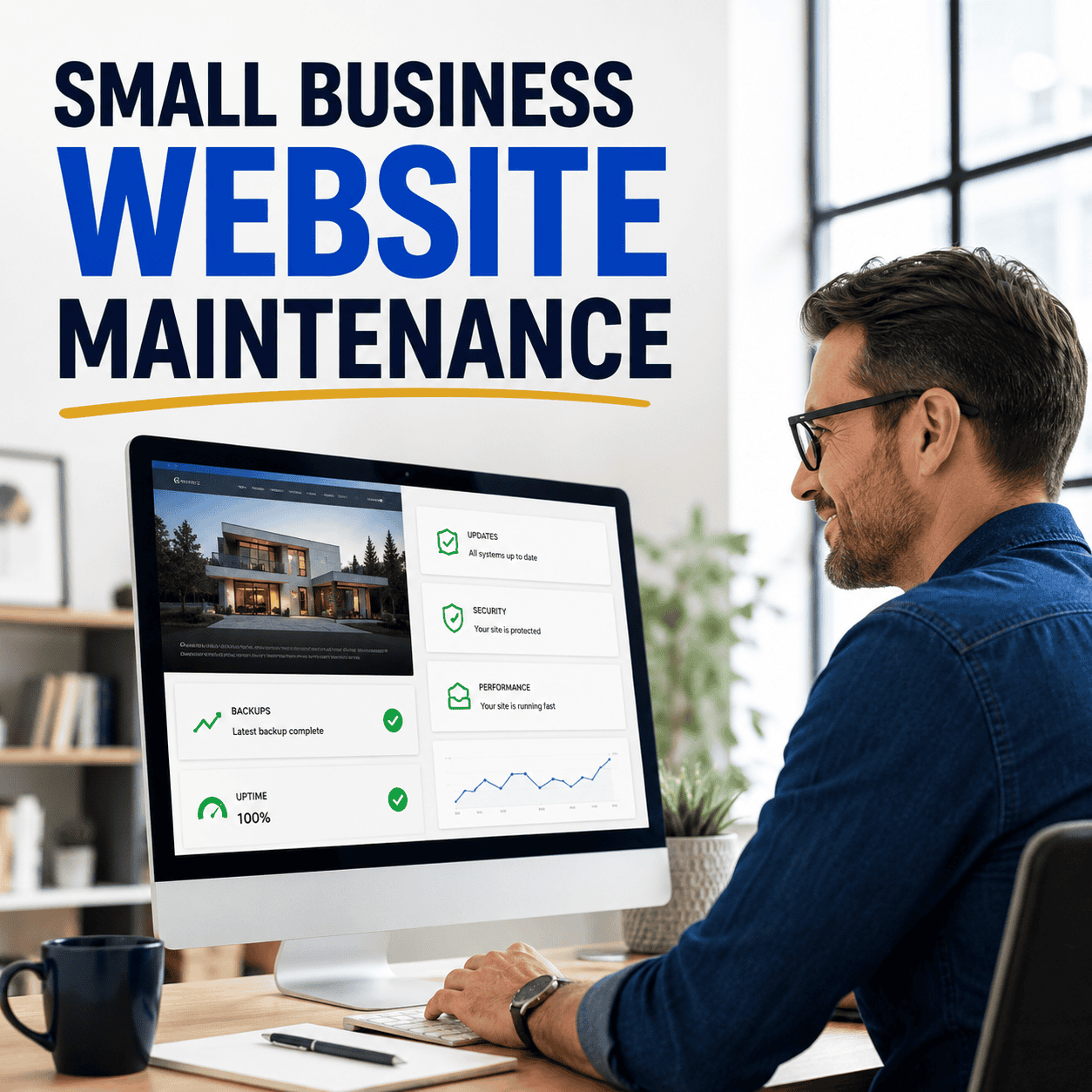
A small business website can look perfectly normal while problems build behind the scenes. The homepage loads. The phone number is visible. The contact form appears to be working. Yet an outdated plugin, failed backup, expired integration, broken mobile element, or unnoticed security issue may already be putting the site—and the leads it supports—at risk.
That is why launching a website is not the end of the job. A business website is an active system made from software, hosting, forms, databases, third-party tools, content, and security controls. Each part can change over time. Website maintenance keeps those moving pieces updated, monitored, and ready to support the business.
For owners who do not want to manage updates and troubleshoot technical problems themselves, a professional website maintenance plan creates a dependable process. Instead of waiting for something to break, the site receives regular attention designed to reduce preventable problems and protect the investment already made in it.
What Is Small Business Website Maintenance?
Website maintenance is the ongoing work required to keep a site secure, functional, current, and useful. It includes visible work, such as correcting outdated information, and technical work that visitors may never see unless it is neglected.
On a WordPress website, maintenance often includes reviewing WordPress core, theme, and plugin updates; checking for compatibility problems; watching uptime; protecting against malware; confirming backups; testing important features; and addressing issues that appear after software or hosting changes. Other platforms need upkeep too, although the tools and responsibilities may differ.
Maintenance is not the same as rebuilding the website, running a complete SEO campaign, or providing unlimited design changes. A good plan clearly defines what routine care is included, how support requests are handled, and which larger projects require separate approval.
The exact scope should fit the website. A five-page service-business site has different needs than a WooCommerce store, membership platform, appointment system, or site with multiple third-party integrations. The more business activity that depends on the site, the more important a consistent maintenance process becomes.
Why a Website Can Break Even When No One Changes It
Business owners sometimes assume that leaving a website alone will keep it stable. In reality, the environment around it continues changing. Browsers update. Hosting companies change software versions. WordPress releases new versions. Plugins patch vulnerabilities and modify features. APIs and embedded tools change their requirements. Licenses expire. Spam tactics evolve.
A website that worked at launch can develop problems months later even if the owner has not edited a page. A form may stop delivering messages. A map may fail to display. An update may conflict with the theme. A security rule may block a legitimate function. A payment or scheduling integration may require renewed credentials.
These are some of the consequences covered more deeply in what happens when a WordPress website is not maintained. The important point is that “still online” and “properly maintained” are not the same thing.
Core, Theme, and Plugin Updates Need a Process
Updates are one of the most recognizable parts of WordPress maintenance, but clicking every available update without preparation is not a complete strategy. Updates can include security patches, compatibility changes, performance improvements, bug fixes, and new features. They can also expose conflicts between components.
A safer routine starts by understanding what is being updated and whether the website has a recent recovery point. After important updates, the site should be checked for obvious problems. The homepage, navigation, forms, mobile layout, and key conversion pages deserve particular attention because a site can remain technically online while an important function is broken.
Updates should not be ignored indefinitely, but they also should not be treated as a blind administrative task. Professional maintenance brings a repeatable process and technical judgment to work that directly affects the site’s stability.
Backups Matter Only If the Website Can Be Recovered
A backup is a copy of website files, database information, or both. It can provide a recovery path after a failed update, malware incident, accidental deletion, hosting issue, or other unexpected problem. But simply installing a backup plugin does not guarantee that recovery will be possible.
The backup must complete successfully, include the necessary data, be stored appropriately, and remain available when needed. Retention periods matter because a recent backup can already contain an unnoticed problem. For websites that change frequently, the backup schedule may need to be more frequent than it would be for a mostly static service site.
Restoration planning is just as important. The business should know who can restore the site, where the backups are stored, and what happens if the main hosting account becomes unavailable. Maintenance turns backups from a checkbox into part of a wider recovery plan.
Security Maintenance Reduces Avoidable Risk
No maintenance plan can promise that a website will never be attacked. Good maintenance focuses on reducing avoidable exposure, watching for warning signs, and creating a clearer response path if something happens.
Security-related maintenance may include software updates, malware scanning, firewall or security-plugin review, login protection, user-account cleanup, password and access practices, spam controls, SSL monitoring, and attention to unusual website behavior. Unused plugins, abandoned themes, outdated administrator accounts, and unnecessary integrations can create risk without adding value.
If a website is already redirecting visitors, displaying warnings, sending spam, or showing other signs of compromise, routine updates may not be enough. That situation may require dedicated website malware removal and recovery before ongoing maintenance can protect the cleaner environment.
Uptime Monitoring Helps Catch Problems Faster
A website can go down outside business hours, after a hosting change, or during a period when no one from the company is looking at it. Uptime monitoring checks whether the site responds and can alert the responsible person when it does not.
Monitoring does not fix every cause automatically. It shortens the time between a problem beginning and someone knowing about it. That matters when the site supports quote requests, appointments, paid advertising, purchases, or customer information.
Not every website failure produces a completely blank page. Forms, navigation, checkout steps, scheduling buttons, or embedded tools can break while the homepage continues to load. That is why maintenance should combine automated monitoring with periodic human checks of the functions that matter most.
Forms and Lead Paths Need Regular Testing
A contact form can show a successful confirmation without the business ever receiving the submission. Email authentication, spam filtering, plugin changes, API limits, mailbox rules, or hosting settings can interrupt delivery. If no one tests the process, lost leads may look like a quiet week instead of a technical failure.
Small businesses should periodically submit their own forms and confirm that notifications arrive at the correct address. Phone links, quote buttons, scheduling links, checkout steps, and thank-you pages should also be checked. When advertising campaigns send paid traffic to a page, conversion tracking deserves review as well.
The website’s job is not merely to display information. It should help customers take the next step. Maintenance protects those paths after the original WordPress web design work is complete.
Performance Problems Can Accumulate Over Time
Website speed is not fixed forever. Large uploaded images, added plugins, new tracking scripts, database buildup, embedded video, third-party widgets, and hosting constraints can gradually make pages heavier. A redesign that launched quickly can feel slower after months of additions.
Performance maintenance can include reviewing oversized media, caching behavior, database overhead, unnecessary scripts, broken requests, plugin load, and hosting limitations. The right solution depends on what is actually slowing the site; installing another optimization plugin is not always the answer.
Performance review should focus on the pages customers use, especially the homepage, primary services, landing pages, forms, and mobile experience. A lighter, more dependable website is easier for visitors to use and creates a stronger foundation for ongoing marketing.
Content Accuracy Is Part of Maintenance
Technical care cannot compensate for inaccurate business information. Hours, staff, services, prices, policies, phone numbers, locations, certifications, promotions, and product details can all become outdated. Visitors may lose confidence when the website contradicts the company’s Google Business Profile, social pages, or current operations.
Content maintenance should include periodic reviews of the information customers rely on. Remove expired offers, former employees, discontinued services, and old event details. Update copyright information and policy pages when appropriate. Confirm that internal links still point to the correct destination.
Routine maintenance keeps the existing site accurate. Larger content expansion—such as new service pages, location pages, or an ongoing blog strategy—may belong to a separate SEO and content growth plan. Keeping those responsibilities distinct makes expectations clearer.
What Should Be Included in a Website Maintenance Plan?
There is no single maintenance package that fits every website, but a small business should understand which essential responsibilities are covered and which remain with the owner, host, or another provider.
- Software upkeep: WordPress core, theme, plugin, and related script updates handled through a consistent process.
- Security attention: Malware protection, security checks, login safeguards, and response procedures.
- Backups and recovery: A defined backup schedule, retention approach, and restoration responsibility.
- Uptime monitoring: Checks that help identify when the website becomes unavailable.
- Functional review: Testing for forms, navigation, mobile display, and other business-critical features.
- Routine support: A clear way to request text, image, service, form, or layout updates if included.
- Issue handling: An explanation of what happens when an update causes a conflict or a problem needs investigation.
- Reporting or communication: Enough visibility for the owner to understand what is being maintained and whether action is needed.
Before choosing a plan, ask whether hosting is included, how quickly support requests are reviewed, whether content-update time is included, how emergency work is handled, and whether eCommerce or custom functionality requires a different scope. Clear boundaries prevent surprises for both the business and the provider.
Website Maintenance and Website Hosting Are Different
Hosting provides the server environment where the website lives. Maintenance manages the website software, content, health, and ongoing functionality. Some companies combine the services, but they remain different responsibilities.
A quality host may provide server security, backups, SSL, caching, and technical support. That does not necessarily mean the host will update website content, repair plugin conflicts, test forms, troubleshoot a theme, or remove malware from the application. Likewise, a maintenance provider may rely on the host for server-level issues.
Small business owners should know who handles each layer. When something goes wrong, the host, domain registrar, email provider, website administrator, and maintenance provider may all have different roles. Documenting account ownership and support contacts saves time during an urgent situation.
Maintenance Is Not the Same as SEO
Website maintenance and SEO support each other, but they are not interchangeable. Maintenance helps keep the site stable, secure, accurate, and ready to use. SEO focuses on improving search visibility through content, keyword targeting, page structure, technical improvements, internal linking, local relevance, and ongoing analysis.
A neglected site can weaken SEO work if pages are slow, unavailable, compromised, or difficult to use. At the same time, a perfectly maintained website will not automatically rank for competitive searches without a real SEO strategy.
Think of maintenance as protecting the foundation and SEO as expanding visibility from that foundation. Small businesses often need both, but the scope and goals should be explained separately.
Signs Your Small Business Needs Professional Maintenance
Some owners are comfortable managing a simple website themselves. Professional support becomes more valuable when the website is central to lead generation, the team lacks technical time, or no one is clearly responsible for routine care.
- Updates have been waiting for weeks or months because no one wants to risk breaking the site.
- No one knows when the last successful backup occurred or how to restore it.
- The site uses many plugins, integrations, forms, scheduling tools, memberships, or eCommerce functions.
- Past updates have caused layout, checkout, form, or theme problems.
- The business depends on website leads but does not test its contact paths.
- Former employees or vendors still have administrator access.
- The site has suffered malware, spam, redirects, downtime, or browser warnings.
- The owner wants one accountable contact instead of coordinating multiple technical vendors.
If you are unsure what the website needs, begin with a review rather than guessing. OHS Publishing offers a free website and SEO audit that can help identify the most important design, maintenance, content, and visibility issues to address first.
Frequently Asked Questions About Website Maintenance
How often should a small business website be maintained?
A business website should receive ongoing attention rather than one large annual cleanup. The right schedule depends on how often the site changes, how many plugins or integrations it uses, and how important it is to daily operations. Updates, backups, uptime, security, forms, and content may each require different review frequencies.
Can I maintain my WordPress website myself?
Yes, owners can maintain a straightforward WordPress website if they have the time, access, backups, and technical confidence to manage updates and troubleshoot conflicts. Professional maintenance is useful when the website supports critical leads or sales, has complex functionality, or needs consistent attention the owner cannot provide.
Does website maintenance include content changes?
It depends on the plan. Some maintenance packages focus on technical care, while others include a set amount of time for text, image, form, service, or layout updates. Ask what qualifies as a routine change and when a request becomes a separate design, development, or content project.
Will website maintenance prevent every security problem?
No provider can guarantee that a website will never be attacked or experience a problem. Maintenance can reduce avoidable risk through timely updates, security attention, access controls, monitoring, backups, and a clearer response process if suspicious activity occurs.
What is the difference between maintenance and emergency repair?
Maintenance is planned, ongoing care intended to keep the website healthier and reduce preventable problems. Emergency repair responds after a serious issue—such as malware, a failed site, or broken critical functionality—has already occurred. Emergency cleanup may require separate investigation and recovery work.
Protect the Website Your Business Depends On
Your website should help your business get found, earn trust, and generate opportunities. Leaving its software, security, backups, forms, and content unattended puts that work at risk. Regular maintenance creates a steadier foundation and gives the business a clearer plan when something needs attention.
OHS Publishing provides Kansas City website maintenance and support for businesses that want their sites kept updated, protected, and working properly without carrying the technical burden alone. Request a website maintenance quote to discuss your platform, current concerns, and the level of support you need.